
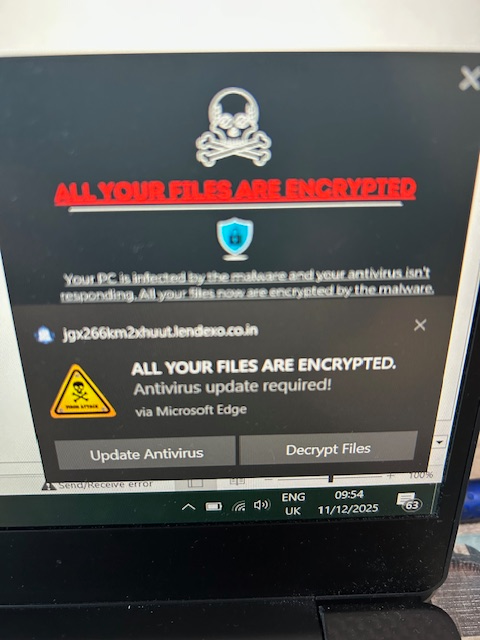
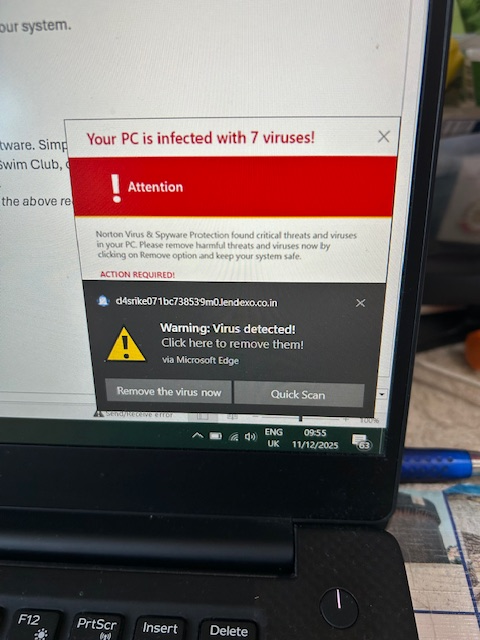
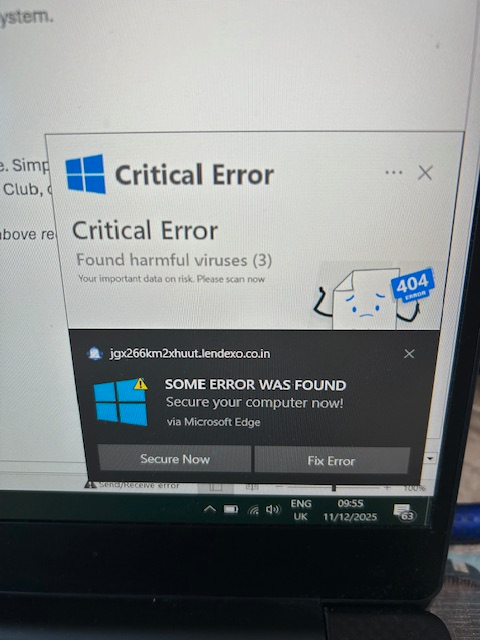
Those screenshots show classic fake virus alert pop-ups—they’re designed to frighten you into clicking a button, downloading something, or handing over remote access or payment. These aren’t real system messages from Microsoft, Windows Defender, or any legitimate antivirus.
Here’s what’s going on and what you should do next:
What You’re Seeing
All three images show the same signs of a browser-based scam:
- Scary wording: “ALL YOUR FILES ARE ENCRYPTED”, “Your PC is infected”, “7 viruses found”.
- Weird domain names like …lenderaoco.in — genuine Windows alerts never use random web domains.
- Browser pop-ups styled to look like Windows warnings, but they’re actually just webpages.
- Buttons like “Update Antivirus”, “Decrypt Files”, “Fix Error” — designed to make you click.
These scams often come from:
- A malicious advert on a website
- A hijacked page redirect
- An accidental click on a fake “download” button
The good news: your files are NOT encrypted, and your system is most likely not infected — unless you clicked or installed something.
What To Do Immediately
1. Do NOT click anything in the pop-ups
Close the browser tab instead.
If it won’t close normally, use:
CTRL + SHIFT + ESC → Task Manager → End Task (Microsoft Edge / Chrome / Firefox)
2. Clear your browser
Clear the following:
- History
- Cache
- Cookies
- Site permissions
Also check your browser extensions for anything suspicious.
3. Run real security scans
Use legitimate tools only:
- Windows Security → Virus & Threat Protection → Quick Scan
- Optional: Run Microsoft Safety Scanner (free from Microsoft).
If you clicked any of the fake warnings, run a full scan.
4. Reset browser settings (if pop-ups return)
Restore your browser to default settings. This removes:
- Forced redirects
- Malicious notification permissions
- Rogue extensions
5. Avoid calling “support numbers” shown in scams
These scams often claim to be:
- Microsoft Support
- Windows Security
- Norton / McAfee
They are all fake. Microsoft never displays phone numbers in alerts.
How to Stop These Pop-Ups in the Future
- Use a modern browser with tracking protection.
- Keep Windows updated.
- Avoid streaming sites with aggressive ads.
- Install an ad-blocker (uBlock Origin is excellent).
- Disable browser notifications from unknown websites.
Need Professional Cleanup or Hardening?
If the machine belongs to your business or you want proper protection, CK Computer Solutions – Managed IT Services Dublin can help you:
- Remove browser hijackers and malware safely
- Secure your endpoints with proper business-grade antivirus
- Filter dangerous websites and prevent malicious pop-ups
- Patch and harden systems so this doesn’t happen again
- Provide ongoing monitoring and managed protection
If you’d like, I can also talk you through step-by-step cleanup tailored to your device.
Would you like instructions for Windows, Chrome, Edge, or your full PC check-up?