If you spend most of your day at a computer, you’ll know how even the smallest slowdown can throw off your flow. Moving your hand from your keyboard to your mouse mightn’t seem like a major time loss on its own, but add it up across hundreds of actions a day and suddenly you’ve a real productivity leak.
That’s where keyboard shortcuts shine. They’re simple, quick, and—once learned—become second nature. And for busy teams, especially in SMEs where every minute truly counts, shaving seconds off repetitive tasks adds up to hours saved each week.
Below, we’ll explore five of the most powerful shortcuts that can dramatically speed up your work. You might know some already, but when used together, they create a smooth rhythm that keeps you flying through your tasks.
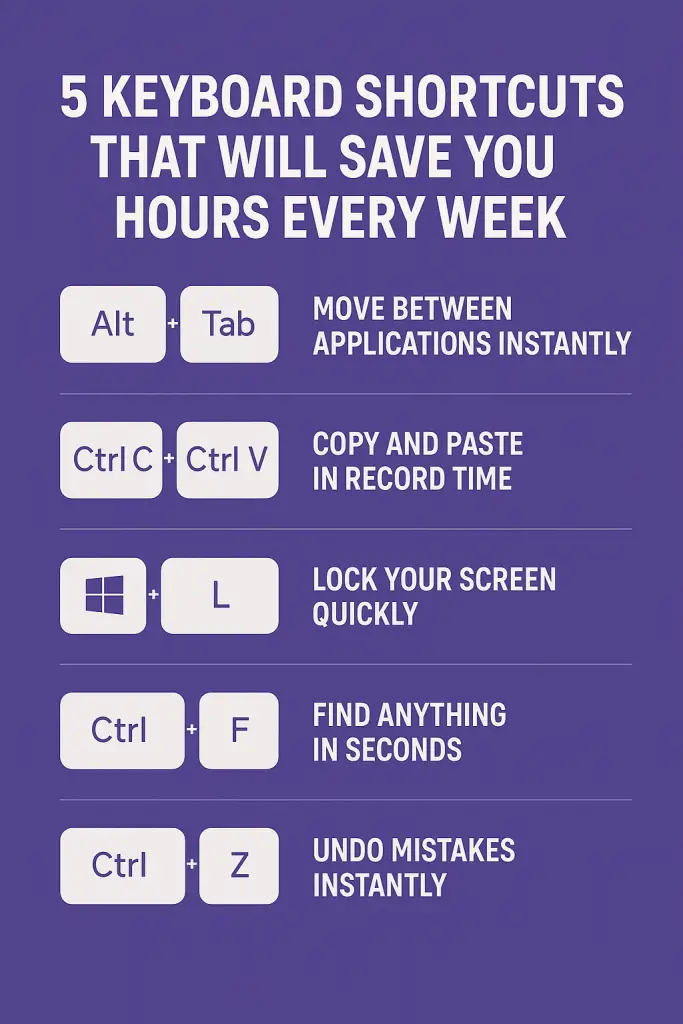
1. Alt + Tab — Move Between Applications Instantly
If you’re constantly flicking between email, spreadsheets, browsers, and chat apps, this shortcut alone can transform your workday. Alt + Tab lets you jump between open programmes without touching the mouse. Hold Alt and tap Tab to cycle through your open windows.
Why it saves time:
- Eliminates the delay of searching for windows
- Cuts out mouse wandering
- Helps maintain focus during multitasking
Pro tip: On macOS, use Command + Tab.
2. Ctrl + C / Ctrl + V — Copy and Paste in Record Time
Yes, everyone knows this one—that’s the point. It’s so widely used because it’s unbelievably effective. Whether you’re copying text, moving files, or duplicating content, the copy/paste duo is the cornerstone of efficient computer use.
Why it saves time:
- No need to right-click menus
- Perfect for repetitive tasks
- Essential for admin-heavy work
Pair it with Ctrl + X to cut instead of copy, and you’ll work even faster.
3. Windows Key + L — Lock Your Screen Quickly
This shortcut is all about security and convenience. Need to nip out for a meeting or grab a coffee? Instead of clicking menus, tap Windows + L and your device locks instantly.
Why it matters:
- Protects confidential information
- Reduces risk of unauthorised access
- Encourages good cybersecurity habits
It’s one of the simplest ways to keep company data safe—and something every employee should know.
4. Ctrl + F — Find Anything in Seconds
From long documents to web pages packed with text, Ctrl + F is your search superpower. Hit the keys, type a word or phrase, and jump right to it.
Where it’s useful:
- Word documents
- PDFs
- Email threads
- Large spreadsheets
- Web pages
This is especially powerful in Excel, where finding specific data manually can take far too long.
5. Ctrl + Z — Undo Mistakes Instantly
Everyone makes mistakes—it’s how quickly you recover that counts. Ctrl + Z helps you rewind your last action, whether you deleted something, moved the wrong file, or mistyped text.
Why it’s a lifesaver:
- Removes fear of making changes
- Encourages experimentation
- Prevents unnecessary rework
And across creative tools, writing apps, and spreadsheets alike, undo is your best friend.
The real magic of keyboard shortcuts isn’t in one shortcut alone, but in how they stack together. Using even a handful throughout the day creates a natural rhythm where your hands barely leave the keys. That means:
- Less time switching tools
- More focus
- Fewer interruptions to your thought process
- Lower physical strain
- A smoother, faster workflow overall
Across a team, these seconds turn into minutes—and those minutes turn into hours of regained productivity each week.
If you’re onboarding new staff or want to encourage time-saving habits in your team, these shortcuts are a brilliant place to start. They require no setup, no training budget, and no complicated software—just a simple change in habit.
Helping Your Team Get the Most from Their Technology
Efficient computer habits are only part of the bigger picture. To truly streamline workflow and reduce wasted time, businesses also need reliable systems, secure networks, and seamless device management. That’s where CK Computer Solutions – Managed IT Services Dublin can support you.
We help SMEs:
- Roll out user training on essential tools and productivity shortcuts
- Keep devices running smoothly so your team avoids downtime
- Install, configure, and manage hardware and software
- Strengthen security across all endpoints
- Provide fast, friendly support whenever staff get stuck
- Optimise your systems so every minute of your workday counts
Whether you’re upgrading your workplace technology, improving cybersecurity, or simply looking for a dependable MSP to back your team, CK Computer Solutions is ready to help your business work smarter—not harder.