
If you already have email in outlook you can skip these steps
- Setup Thunderbird to get mail and connect to your Gmail using IMAP – instructions here
- Import the PST file to your Outlook
Import emails from outlook to Thunderbird
- Go to Thunderbird
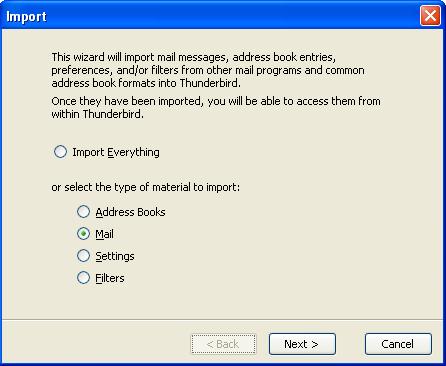
- Click Tools -> Import -> Select what you want to import
- You should now see your mails in your Thunderbird by now,